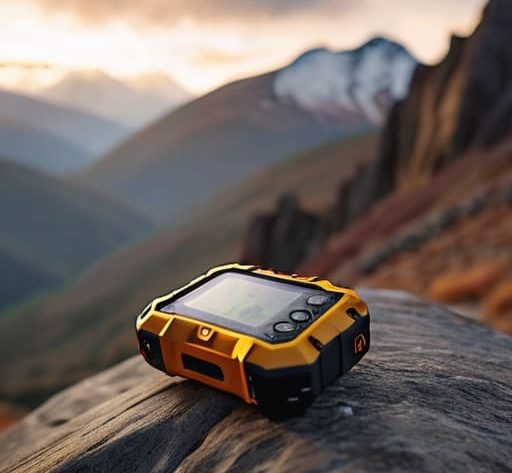
I was standing on a granite ridge in the Cairngorms, watching a group of hikers realize that their “smart” device was nothing more than a glorified paperweight because they couldn’t get a clear view of the sky through the heavy canopy. They had spent a fortune on the latest gadget, but they hadn’t actually understood how to choose a satellite messenger that works when the temperature is dropping and your fingers are too numb to navigate a touchscreen. Most of the marketing around these devices focuses on flashy interfaces and unnecessary features that you’ll never use, when the only thing that actually matters is whether that single SOS button triggers a response when you’re shivering in a ditch.
I’m not here to read you a spec sheet or repeat what a glossy brochure says. Instead, I’m going to tell you what matters when the weather turns and the daylight is failing. I’ll be looking at battery life in sub-zero temperatures, the actual weight you’ll feel in your pack after ten hours of hiking, and how much reliability you can truly expect from different networks. This isn’t about buying the most expensive kit; it’s about making the right decision before you leave the trailhead.
Table of Contents
Satellite Messenger vs Plb When One Decision Changes Everything
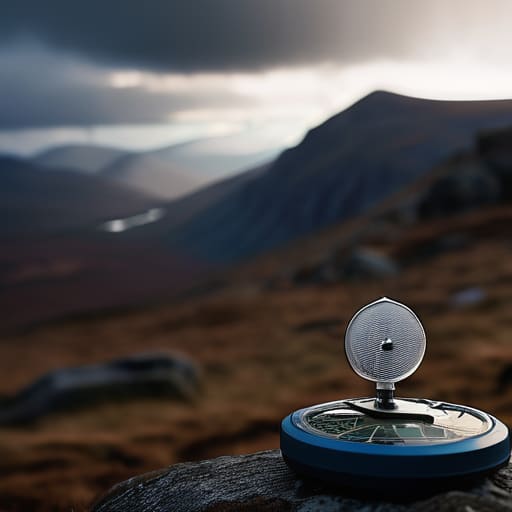
I’ve stood on a ridge in the Cairngorms, watching the light fail, knowing that the difference between a controlled descent and a full-blown mountain rescue often comes down to the specific tool in your pocket. People often conflate the two, but when you’re looking at satellite messenger vs PLB options, the distinction is vital. A Personal Locator Beacon (PLB) is a single-purpose tool; it’s designed to scream “I am in trouble” to a rescue coordination center via a powerful, dedicated frequency. It doesn’t require a subscription, and it doesn’t do much else. It is a blunt instrument for when things have gone fundamentally wrong.
A satellite messenger, however, offers two-way messaging capabilities, which changes the entire psychology of an incident. I’ve used Garmin inReach units for over four years now, mostly on multi-day traverses in wet, heavy conditions. The ability to text a contact and say, “We’re delayed by a broken ankle, but we’re stable,” prevents a lot of unnecessary panic. You aren’t just sending an SOS; you are managing the situation. Just remember that these devices rely on satellite device subscription plans, which means you’re paying for that dialogue. If you only ever want a one-way “panic button,” go with a PLB. If you want to manage your safety in real-time, you want the messenger.
Global Satellite Network Coverage Why Your Signal Matters Most

I’ve spent enough time in deep, narrow corries where the sky feels like it’s closing in to know that a device is only as good as the window it can see. You can have the most expensive piece of kit in your pack, but if you’re tucked under a granite overhang or deep in a wooded glen, that global satellite network coverage becomes a theoretical concept rather than a lifeline. When I was working as a ranger, I saw too many people rely on the idea that a signal is a constant, when in reality, it is a fragile link that depends entirely on your position relative to the satellites overhead.
The distinction between different systems—like Iridium versus others—matters more than the marketing suggests. I’ve tested several units during multi-day traverses in the Cairngorms, and I’ve found that consistent connectivity is often the difference between a controlled situation and a genuine crisis. If you are looking at emergency satellite communication devices, don’t just look at the price tag; look at the constellation density. You need to know that when the clouds drop and the visibility hits zero, your SOS signal isn’t just shouting into a void, but actually finding a path to the sky.
The Details That Matter When the Sky Closes In
- Don’t trust the weight on the box alone. I’ve carried the Garmin inReach Mini 2 for three years across everything from the Cairngorms to the Lake District, and at 100g, you forget it’s there until you actually need to press the button. Always account for the extra weight of the charging cables and the rugged case you’ll inevitably need to buy to stop it from cracking when you drop it on granite.
- Check the subscription fine print before you buy. I’ve seen too many people get halfway up a ridge only to realize their “cheap” device requires a monthly fee they forgot to activate. If you aren’t using it every week, look for a device that offers a flexible or annual plan; there is nothing more useless than a piece of dead plastic when you’re shivering in a bivvy bag.
- Look for two-way messaging, not just a panic button. In my experience, being able to tell a contact “the weather has turned, we are heading back to the valley” is much safer than just triggering an SOS. A one-way PLB is for emergencies; a two-way messenger is for managing the reality of a changing situation before it becomes an emergency.
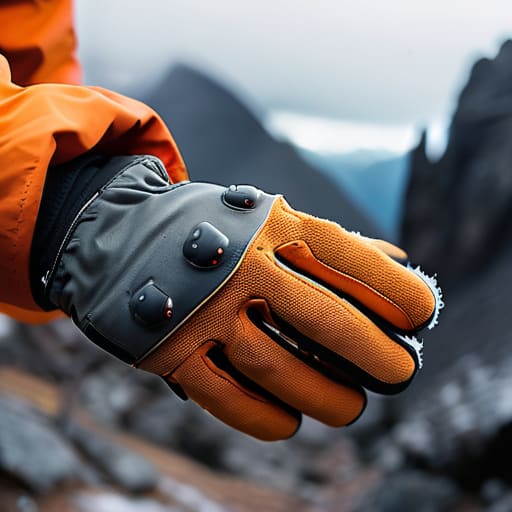
- Test the interface with cold hands and gloves. I spent a week testing the ease of use on a late-season trek where the temperature was hovering just above freezing. If you have to take your gloves off, fumble with a tiny touchscreen, and pray the menu responds while your fingers are numb, the device has failed its most important test.
- Prioritize battery life in cold conditions. Lithium batteries hate the cold, and I’ve seen devices die far faster than the manufacturer’s “up to 20 hours” claim when the temperature drops below zero. If you’re planning a multi-day route in the winter, ensure the device has a dedicated power mode that won’t drain itself just because it’s sitting in your pack.
The Cost of a False Sense of Security
I’ve sat in the lee of a ridge in a gale, watching a signal bar struggle to find the sky, and realized that a satellite messenger isn’t just a piece of kit; it’s the margin between a bad day and a life-changing one. You don’t choose a device based on a spec sheet or how much it weighs in your pack; you choose it based on whether it will actually talk to the satellites when your hands are shaking and the visibility has dropped to zero.
Bridget Halloran
The Final Decision
At the end of the day, choosing a device isn’t about finding the one with the most features or the slickest marketing; it’s about matching the tech to your specific level of risk. You need to weigh the two-way communication benefits of a messenger against the raw, unshakeable reliability of a dedicated PLB, all while ensuring the network coverage actually reaches the specific ridges and valleys where you intend to walk. I’ve seen too many people pack a device they don’t fully understand, only to realize when the mist rolls in that they cannot navigate the interface with cold, numb fingers. Check the battery life, verify the weight against your pack load, and most importantly, test the signal in your own backyard before you head into the high ground.
Ultimately, a satellite messenger is just another piece of kit, no more or less vital than a decent pair of boots or a waterproof shell. It won’t stop a storm from moving in, and it won’t fix a torn ligament, but it can bridge the gap between a bad situation and a managed one. Don’t let the gear give you a false sense of invincibility; use it as a safety net, not an excuse to push past your limits. The goal is always to return home to tell the story, and having the right tool in your pocket ensures that even when your plans fall apart, your story doesn’t have to end there.
Frequently Asked Questions
How much extra weight am I actually adding to my pack, and is the battery life enough for a four-day trek in cold, damp conditions?
Most units sit between 100g and 150g. I’ve carried the Garmin inReach Mini for three seasons, mostly on wet, shoulder-season traverses in the Lakes, and that weight is negligible compared to the peace of mind. Regarding battery: in damp, near-freezing conditions, expect it to drain faster. I’ve done four-day stints where the cold bit into the charge, but if you keep it tucked in an inner pocket against your body, it’ll last.
If I'm deep in a steep-sided glen or under heavy canopy, will these devices actually be able to find a signal to send an SOS?
It’s a fair question, and a dangerous one. I’ve been stuck in a narrow, steep-sided glen in the Cairngorms with nothing but a grey sky and a dead signal. If you’re under heavy canopy or deep in a notch, your chances drop significantly. These devices need a clear line of sight to the sky. If you can’t see the sky, the device can’t see the satellites. It’s not a guarantee; it’s a slim hope.
What happens to the subscription costs when I'm not using the device, and how much does it actually cost per message when I'm out on a multi-day route?
The subscription doesn’t sleep just because you are. Whether you’re sitting in your kitchen or navigating a ridge in the Cairngorms, that annual fee is a fixed cost for the lifeline. I’ve kept my subscription active for five years straight; it’s the price of peace of mind. As for per-message costs, they’re negligible. You aren’t paying for a text; you’re paying for the satellite’s attention when everything else goes wrong.